Have you ever wondered why your ID photo background has to be a certain color? Whether it’s a passport, driver’s license, or visa photo, the background color plays a crucial role. ID photography is more than just snapping a quick picture. It’s a detailed process designed to meet strict standards and create a clear, professional image that represents you officially.
Common Background Colors Used in ID Photography
White Background
White is the most widely accepted background color for ID photos across the globe, and this is especially true in the United States for passports and many official documents. The reason for its popularity is simple: white offers a clean and neutral canvas that ensures the subject’s face stands out clearly. Because it doesn’t introduce any additional hues or distractions, it helps create a crisp, clear image that is easy for officials to verify. The uniformity of a white background also allows for consistent photo quality, which is crucial when ID photos are compared and checked.
Additionally, white backgrounds reflect light evenly, which helps to minimize shadows on the face or around the subject. This even lighting results in better photo quality and enhances facial features without harsh contrasts. It also helps prevent color distortion in the photo, meaning skin tones remain natural and true-to-life. This combination of clarity and neutrality makes white backgrounds the gold standard for official identification photos.
Blue Background
In the United States, while white is most common, certain visa photos or other official documents sometimes require or allow a blue background. The blue tone is favored because it complements many skin tones and outfits, offering a softer contrast than stark white. This softer effect can produce a more flattering image while still maintaining the professionalism required for official documents.
Blue backgrounds also have the advantage of being less prone to glare and reflection compared to white. They can provide a calming and authoritative feel to the photo, which can be important for the perception of the ID. Some immigration or government agencies prefer blue because it balances well with a variety of lighting conditions, helping to keep the focus on the subject’s face without overpowering it.
Gray Background
Gray is another popular choice, especially in professional or specialized ID photography where white or blue might not be suitable. Gray offers a neutral tone that is less harsh than white but still provides sufficient contrast for clear image capture. It helps reduce glare and harsh shadows that sometimes appear on lighter backgrounds, making it a practical alternative.
Gray backgrounds can be particularly useful when a person’s clothing or skin tone might blend too much with white or blue backgrounds. Because gray sits between black and white, it tends to work well with most colors, enhancing the visibility of the subject without drawing attention away from them. It’s also frequently used in corporate ID photos and other formal settings where a subtle and balanced look is desired.
Psychological Impact of Background Colors
Believe it or not, the color of the background in an ID photo can affect how viewers perceive the subject. Colors carry psychological weight and can send subtle messages about professionalism, seriousness, and trustworthiness. Neutral tones such as white, gray, and blue are generally seen as safe and appropriate because they evoke feelings of reliability and formality. This is why these colors are standard choices for official ID photos in the United States and many other countries.
On the other hand, flashy or unconventional background colors—like red, green, or yellow—might unintentionally suggest informality or casualness. These colors can distract from the face, which should always be the focus in an ID photo. For example, a bright red background could create a sense of urgency or agitation, while a green or patterned background might confuse facial recognition software and officials reviewing the image. Staying with neutral colors ensures that the photo communicates seriousness and professionalism, which is essential for official identification purposes.
Contrast and Subject Visibility
One of the primary goals of an ID photo is to make sure the subject’s face is clearly visible and easily distinguishable from the background. Contrast is key here. If the background color is too similar to either the subject’s skin tone or clothing, the photo can appear washed out or unclear, making identification difficult. For instance, wearing a white shirt against a white background causes the edges of the subject’s shoulders and neck to blend in, reducing the photo’s clarity.
To achieve the best visibility, the background should contrast well with both skin tone and clothing. For example, a blue background works well with lighter skin tones and white or lighter-colored clothing, making the subject pop out more vividly. Conversely, gray backgrounds can help balance out darker clothing without overwhelming the image. Here’s a quick checklist to improve contrast and visibility in your ID photo:
- Avoid wearing clothing that matches the background color.
- Choose backgrounds that offer clear separation from your skin tone.
- Ensure the lighting is even to prevent shadows that reduce facial clarity.
- Use neutral backgrounds like white, blue, or gray for optimal contrast.
By following these simple guidelines, your ID photo will have a crisp, clear, and professional appearance that meets official standards and helps officials identify you easily.
Technical Considerations When Choosing Background Colors
Lighting and Shadow Control
Lighting plays a crucial role in how background colors appear in ID photography. The right background color complements the lighting setup to create an evenly lit photo without harsh shadows. For example, white backgrounds are excellent at reflecting light, which can brighten the subject’s face and produce a clean image. However, if the lighting is too strong or not properly diffused, white backgrounds can cause glare or hotspots, creating unwanted bright patches that distract from the subject’s features. Balancing the lighting with the background color is essential to maintain uniformity and clarity in the photo.
In contrast, darker or more muted backgrounds like gray tend to absorb some light rather than reflect it, which can reduce glare but might require additional lighting to avoid dull or underexposed photos. Blue backgrounds strike a middle ground, providing good light reflection without as much risk of glare. Therefore, photographers must carefully adjust lighting intensity and direction according to the background color to avoid shadows on the face and neck and ensure the subject is well-illuminated.
Camera Sensor and Color Balance
Camera sensors detect and record colors differently depending on the background and lighting conditions. When the background color is neutral and consistent, the camera’s automatic color balance settings can more accurately represent the subject’s true skin tone. If the background is too bright or colored unusually, the sensor might overcompensate, leading to unnatural skin tones—either too pale, too warm, or with odd color casts. This can cause the photo to fail official standards or look unprofessional.
Neutral backgrounds like white, gray, or light blue help the camera maintain color accuracy by providing a reference point for white balance adjustments. This ensures that the subject’s face appears natural and consistent across different photo sessions and lighting environments. In contrast, highly saturated or patterned backgrounds can confuse the camera sensor, leading to color inaccuracies that are difficult to correct even with editing software.
Post-processing and Editing Ease
Editing ID photos is much simpler when the background is neutral and solid. White, gray, or blue backgrounds provide a clean and uniform backdrop that makes cropping, brightness adjustments, and minor touch-ups straightforward and precise. These neutral colors help avoid issues like color bleeding, where the background color spills onto the subject, which can occur with complex or brightly colored backgrounds.
Bright or multicolored backgrounds complicate the editing process, often requiring more time and expertise to separate the subject cleanly from the background. This is especially important because official ID photos usually have strict requirements prohibiting any editing that alters the subject’s appearance or the photo’s integrity. Therefore, starting with a neutral background reduces the risk of accidental violations and simplifies the preparation of photos that meet official criteria.
| Technical Aspect | White Background | Blue Background | Gray Background |
| Lighting | Reflects light well; risk of glare if too bright | Reflects moderate light; balanced brightness | Absorbs some light; may require stronger lighting |
| Shadow Control | Can show harsh shadows if lighting uneven | Helps soften shadows; moderate shadow presence | Minimizes harsh shadows; softer overall look |
| Camera Color Balance | Helps maintain true skin tones; can cause overexposure | Good for color accuracy; complements many skin tones | Neutral tone reduces color cast |
| Post-Processing Ease | Simplifies editing; low risk of color bleeding | Easy to edit; moderate ease due to uniform color | Very easy to edit; minimal color interference |
Official Guidelines and Standards by Country
U.S. Passport and Visa Photo Requirements
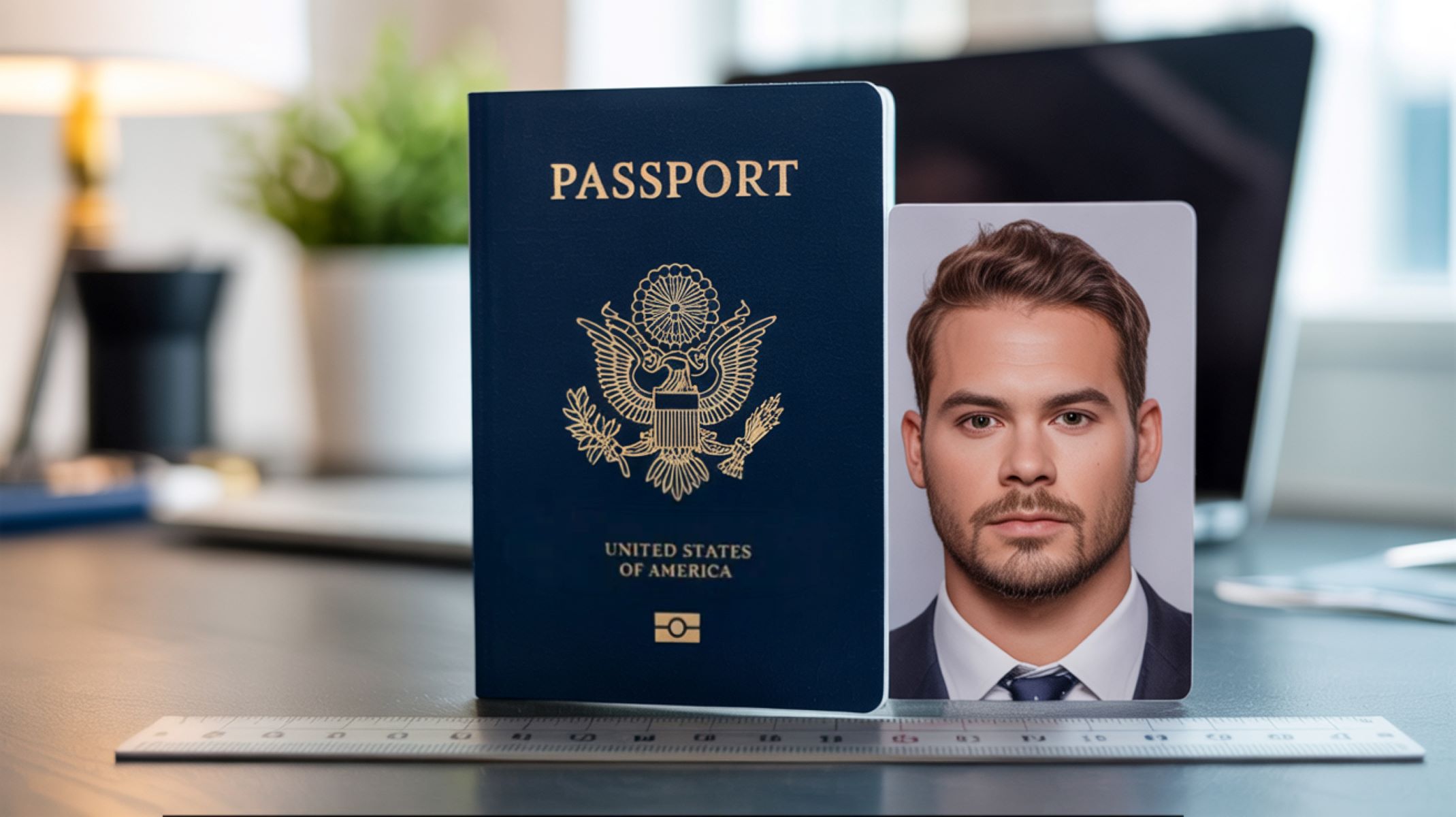
In the United States, the Department of State sets strict rules for passport photos to ensure security and uniformity. The official requirement is a plain white or off-white background. This standard is designed to produce a clear image where the subject’s facial features are easily distinguishable without distractions. The white background also helps with automated facial recognition technology used by government agencies. Any deviation from this, such as shadows, textures, or colors other than white, may cause the photo to be rejected.
For some visa applications, a light blue background might be acceptable, but this depends on the specific embassy or consulate requirements. The blue background offers a slight variation but still maintains a neutral and professional appearance. It is important for applicants to check the exact requirements for the visa or travel document they are applying for, as failure to comply with background color rules can delay the processing or result in photo rejection.
Driver’s License Photo Background Rules
Most U.S. states require a neutral background for driver’s license photos, typically white, gray, or light blue. This ensures consistency across all issued licenses, making the photos easier to compare and verify at checkpoints. The neutral background also eliminates distractions, keeping the focus on the driver’s face for quick identification by law enforcement and administrative personnel.
Some states specify the acceptable colors clearly in their driver’s license photo regulations, while others simply require a “plain” or “neutral” background. Regardless, the aim is the same: produce a clear, professional image that meets state and federal identification standards. Applicants who do their own photos often must adhere strictly to these background requirements, or their photos risk rejection.
Other ID Types and Their Background Regulations
Beyond passports and driver’s licenses, other official identification cards—such as employee badges, student IDs, and security passes—also have background color rules, though these can vary more widely. Many organizations adopt standards similar to passports or driver’s licenses to ensure uniformity and professionalism. For example, corporate badges often use plain white or gray backgrounds to maintain a neutral and official look.
Educational institutions issuing student IDs might allow some flexibility but typically avoid bright or patterned backgrounds for the sake of clarity and security. The goal across all these types of IDs is consistent: to produce photos where the subject’s face is the focus, easily recognizable, and free of distractions caused by the background color or texture.